Guide
iCloud sync
Keep your library, progress and settings in step across your devices through your own private iCloud. No account, no server.
Sync is part of Bokumi Plus.
How it works#
Bokumi syncs through your private iCloud database, the one tied to the Apple Account each device is signed in to. There is no Bokumi account, no email and no password, and no Bokumi server in between. Your data is not visible to us, and it counts toward your iCloud storage, never ours.
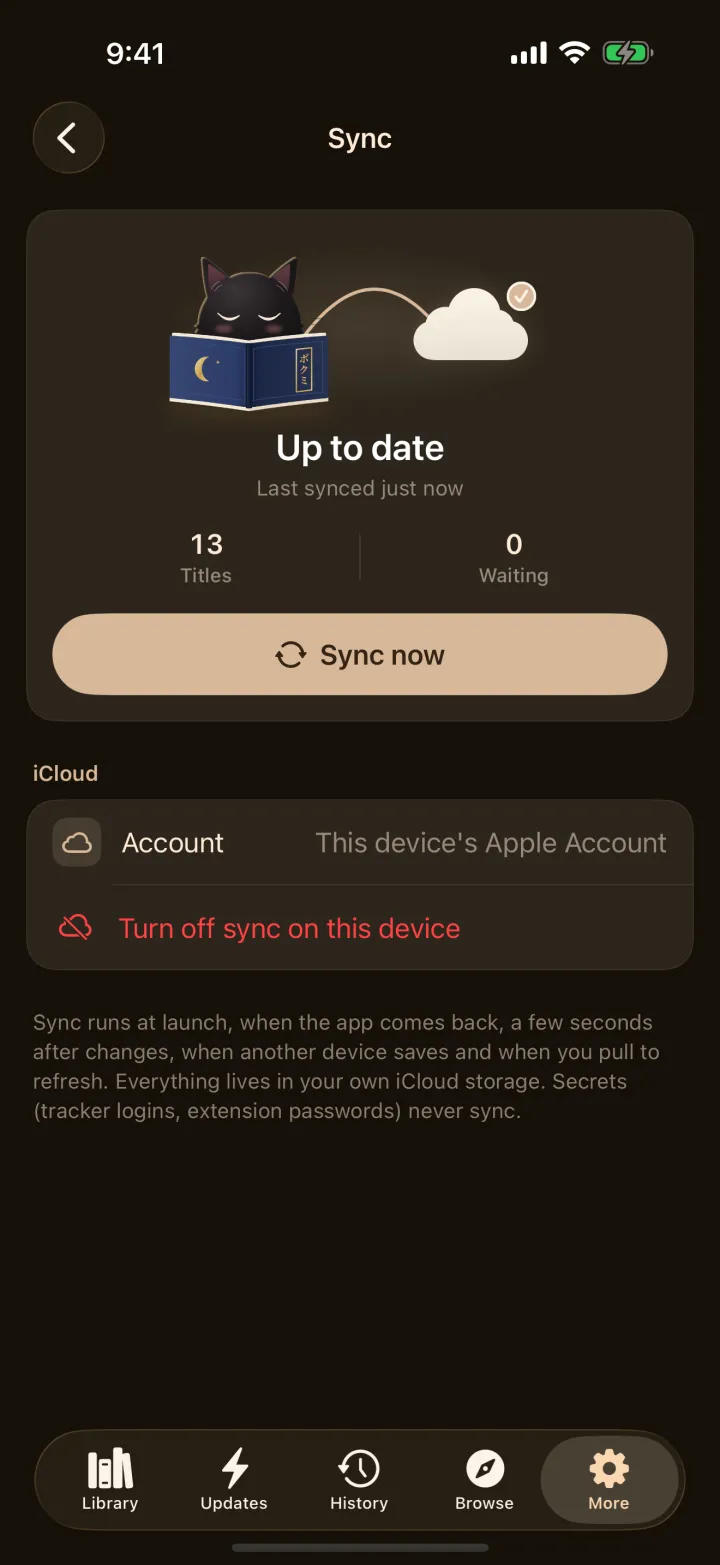
Sync turns itself on with Plus when iCloud is available. Turn it off or on in More → Sync.
What syncs#
- Your library, categories and tabs
- Reading progress, bookmarks and history
- Tracker entries (not tracker logins)
- Settings: appearance and themes, library, reader, tracking, profile, language, automatic update and backup schedule
What stays on each device#
Downloads, app lock and other privacy settings, incognito, the app icon, onboarding and hints, the tab you last had open, and anything secret such as tracker logins, which stay in each device's Keychain.
When it syncs#
When the app opens, when you return to it, a few seconds after you change something, when you pull to refresh, and in the background when another device saves. Tap Sync now on the More tab to do it right away.
Troubleshooting#
- Make sure each device is signed in to the same Apple Account and that iCloud is on for Bokumi: Settings → [your name] → iCloud → Apps Using iCloud.
- Check you have iCloud storage left. A full iCloud pauses sync until there is room.
- If you switch to another Apple Account, Bokumi queues your whole library for the new account.
- Still stuck? Contact support with your iOS version and what the Sync screen says.